Difference between revisions of "Heating modes"
(Marked this version for translation) |
|||
| (2 intermediate revisions by 2 users not shown) | |||
| Line 1: | Line 1: | ||
| + | <languages/> | ||
| + | <translate> | ||
| + | <!--T:1--> | ||
<br>[[File:instruction99.png|500px]]<br> | <br>[[File:instruction99.png|500px]]<br> | ||
<p>The '''Heating mode''' menu allows you to turn on the desired heating mode for all radiators in a selected room or the whole house. | <p>The '''Heating mode''' menu allows you to turn on the desired heating mode for all radiators in a selected room or the whole house. | ||
| − | <p>When you click '''Heating mode''', the menu appears where you can select the mode. Read more about heating mode settings in the section [[ | + | <p>When you click '''Heating mode''', the menu appears where you can select the mode. Read more about heating mode settings in the section [[Edit_Items#Auto_2|Edit Items -> Edit Radiators -> Auto]]. |
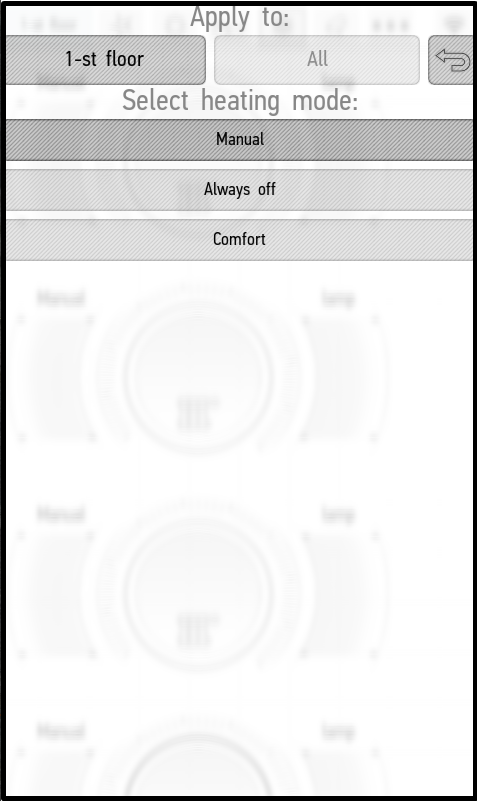
<p>In the '''Apply to''' menu you can choose where the mode will be applied: in the current room or everywhere. | <p>In the '''Apply to''' menu you can choose where the mode will be applied: in the current room or everywhere. | ||
<p>By default, the '''Manual''', '''Always''' '''off''', '''Eco''', '''Comfort''', and '''Hot''' modes are available. To activate the desired mode, click on it. In the screenshot, we have activated the '''Hot''' mode. | <p>By default, the '''Manual''', '''Always''' '''off''', '''Eco''', '''Comfort''', and '''Hot''' modes are available. To activate the desired mode, click on it. In the screenshot, we have activated the '''Hot''' mode. | ||
| Line 20: | Line 23: | ||
</tr> | </tr> | ||
</table> | </table> | ||
| + | </translate> | ||
Latest revision as of 14:41, 18 January 2022
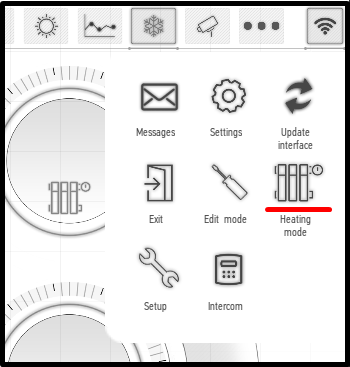
The Heating mode menu allows you to turn on the desired heating mode for all radiators in a selected room or the whole house.
When you click Heating mode, the menu appears where you can select the mode. Read more about heating mode settings in the section Edit Items -> Edit Radiators -> Auto.
In the Apply to menu you can choose where the mode will be applied: in the current room or everywhere.
By default, the Manual, Always off, Eco, Comfort, and Hot modes are available. To activate the desired mode, click on it. In the screenshot, we have activated the Hot mode.
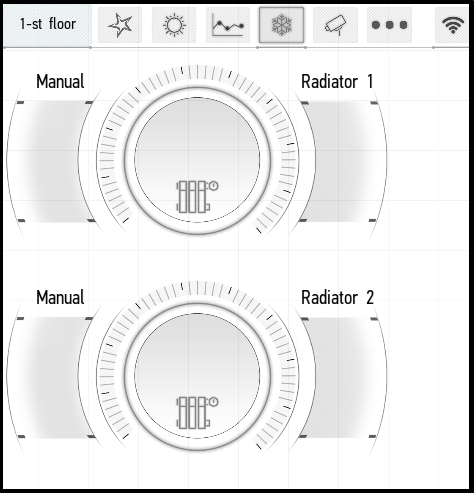
Activating the Manual mode will cause the radiator to work in manual mode, it can be turned on or off from the application. It will not display the temperature received from bound sensors. In the screenshot below, we have switched the radiators to the Manual mode, turned on the first one, and turned off the second one.
 |
 |
The Always off mode completely turns off all radiators in the room or the whole house (depending on where it was used). They cannot be turned on manually while the Always off mode is active.
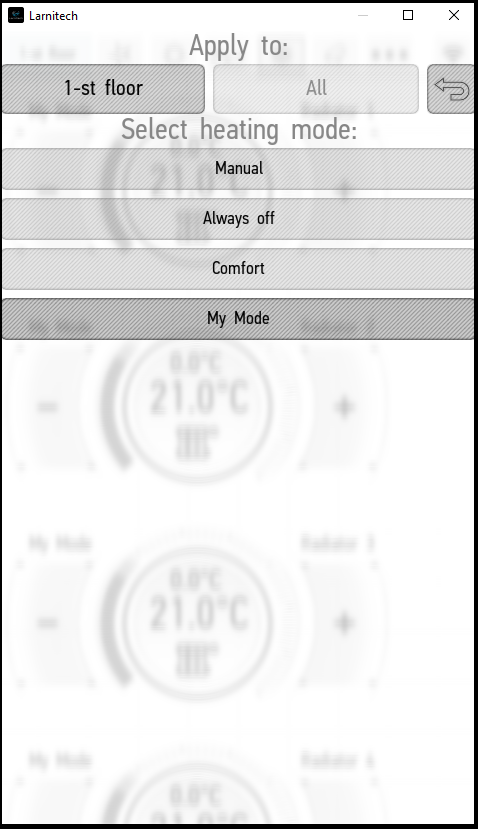
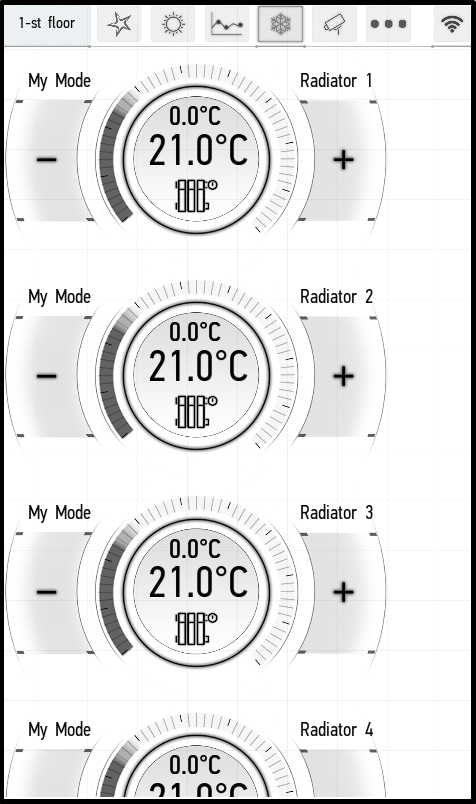
Additional modes that were added for one of the radiators will be available in the general menu as well, but the specified parameters will be applied only for those radiators for which they were tuned - the others will be set to a temperature of 21 degrees.
For example, we have used Edit mode to create an additional mode named My Mode on Radiator 1 and set its temperature to 28 degrees. The mode appeared in the general menu (left screenshot), but when it is turned on, this specified temperature is set only for Radiator 1, and the default temperature of 21 degrees is set for others (right screenshot).
 |
 |